
Visualize
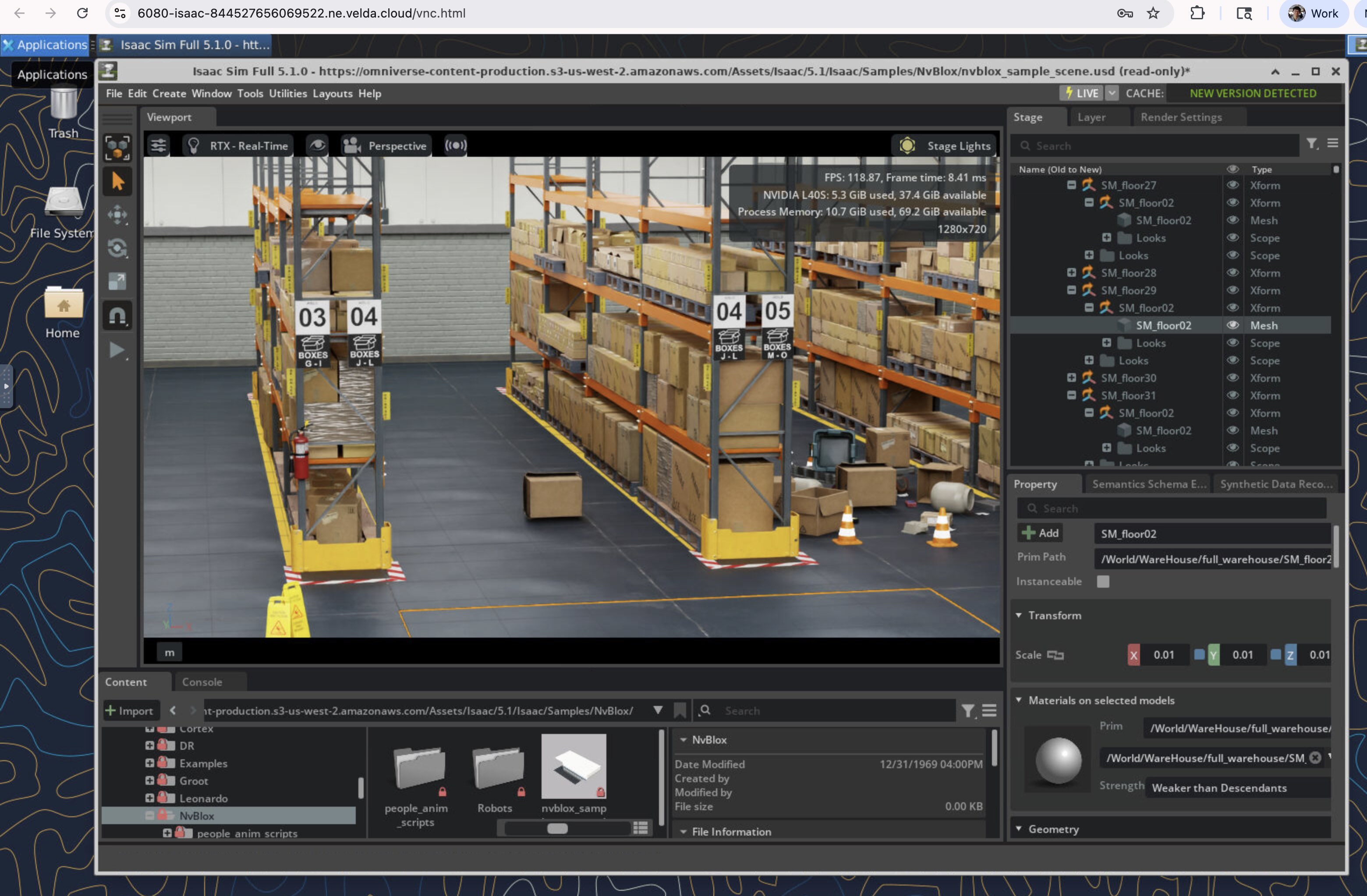
Stream Isaac Sim in the browser with NVIDIA rendering and OpenUSD scenes, without local installation.
The ultimate serverless GPU platform to run simulation, training, viz and batch pipelines
Velda supports every phase of physical AI development: scene visualization, policy training, physics simulation, synthetic data generation, and iteration before hardware deployment, including pipelines across heterogeneous hardware pools.
vrun -P h100-1 python train_policy_with_isaac.pyRobotics development spans simulation, training, data generation, and real-world validation. This page outlines how Velda maps compute to each stage while keeping environments consistent.
Stream Isaac Sim in the browser with NVIDIA rendering and OpenUSD scenes, without local installation.
Run physics-accurate scenario tests and edge-case validation before hardware trials.
Launch Isaac Lab policy training on H100 GPUs on demand and shut down capacity when runs complete.
Scale synthetic data generation and parallel scenario execution with elastic batch jobs.
Feed simulation and training outputs into hardware testing cycles with reproducible runtime environments.
Use the same project workspace for simulation authoring, policy training, and data workflows, then scale compute only when needed.
Run many Isaac Sim scenarios in parallel with a fan-out pattern. This is useful for synthetic data generation and edge-case sweeps across large parameter spaces.
# Example: fan-out batch simulation runs
for scenario in scenarios/*.usd; do
  vbatch --name "sim-${scenario##*/}" -P l40s-1 -- \
    python run_isaac_sim.py --scene "$scenario" --headless
doneRun reinforcement learning and robot policy experiments with Isaac Lab on H100 pools. Training pipelines can schedule preprocessing, simulation, and learning stages across heterogeneous hardware such as CPU, L40S, and H100 resources.
# Example: train a policy after CPU preprocessing
vbatch -P cpu-16 --name prep -- python prepare_dataset.py
vbatch -P h100-8 --name policy-train --after-success prep -- \
python train.py --framework isaac-labNo local hardware or installation required. Access Isaac Sim, or any GUI editing tools, directly from your browser, with NVIDIA accelerated rendering. Start building in just one click, and only pay for GPUs when active.
Different physical AI stages need different resource profiles. Velda keeps those stages connected without requiring separate infrastructure stacks, and supports one pipeline that spans heterogeneous hardware pools.
| Phase | Typical Workload | Compute Pattern | How Velda Supports It |
|---|---|---|---|
| Scene authoring | Isaac Sim visualization and debugging | Interactive GPU session | Browser-streamed GPU workspace with persistent project state |
| Policy training | Isaac Lab RL training | Scheduled multi-GPU jobs | On-demand H100 pools and queue-based batch execution |
| Synthetic data | Parallel render and labeling scenarios | Fan-out batch runs | Elastic parallel tasks that scale to zero after completion |
| Hardware iteration | Regression validation and edge-case replay | Mixed interactive + batch | Reproducible environments across simulation and deployment checks |
Common questions from robotics and physical AI teams evaluating browser-accessible GPU infrastructure.
Yes. Isaac Sim sessions can run on remote GPUs and stream into the browser, which removes local workstation dependency for most simulation tasks.
It keeps simulation, training, and data generation in one operational path so teams can move from virtual testing to hardware validation with fewer environment changes.
Batch and training compute can be released when workloads finish, so capacity is aligned to active simulation and training windows.
No. The same environment can be used for model training, synthetic data generation, evaluation pipelines, and pre-deployment checks.
Browser-accessible cloud workspace with on-demand GPU capacity for robotics and physical AI development.
Use managed cloud or discuss dedicated infrastructure options for team-scale robotics workflows.